

One property shoot usually has to cover several jobs. The same smartphone walkthrough clip gets cut for Instagram, reused in a listing post, and pulled back out again when the home is still on the market a few weeks later. The issue is that raw footage rarely feels different enough for each of those moments. It shows the space, but it does not always carry the right mood.
That is where video-to-video AI can help. Instead of reshooting or building custom effects from scratch, teams can make alternate visual versions from footage they already have. A browser-based platform like Media.io makes it easier to test those directions without turning a short teaser into a bigger editing project.
Use Case 1: Turn a Basic Walkthrough Into a More Premium Instagram Teaser
Phone-shot property footage often looks flatter than the home does in person. The lighting may be fine, and the room sequence may work, but the clip can still feel plain once it lands in a crowded social feed.
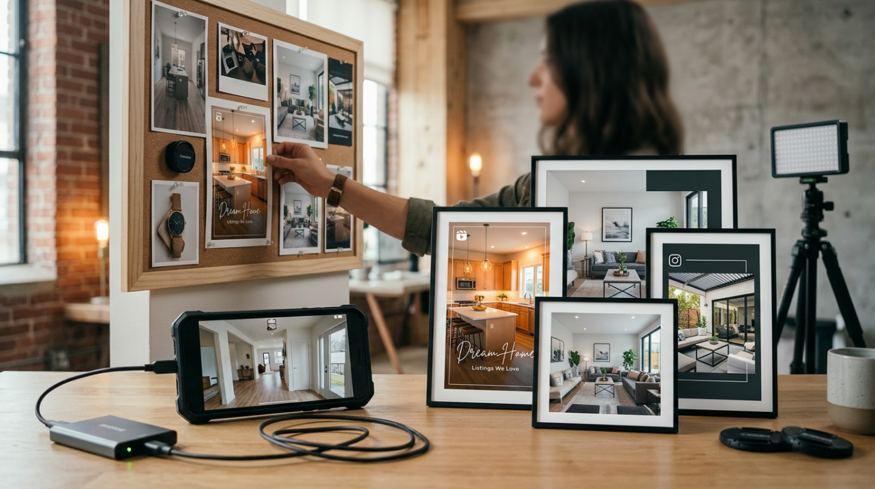
A cinematic restyle can make that same walkthrough feel more polished. With the Media.io AI video style tool, a team can update the look of an existing clip while keeping the original camera motion, room flow, and scene continuity. For real estate, that matters. You want the teaser to feel sharper, but you do not want the layout to stop feeling believable.
This works well for agents, coordinators, and smaller listing teams that need a stronger social teaser quickly. The footage stays the same at its core. The presentation just gets an upgrade.
Use Case 2: Create a Distinct Visual Version for Luxury or Design-Focused Listings
Some properties need more than a standard walkthrough. Modern interiors, renovation showcases, and architect-designed homes often depend on atmosphere as much as information. In those cases, a plain clip can undersell the property.
Video style transfer tools, such as Media.io, is useful when the goal is to push footage toward a more editorial or design-led look without rebuilding the video from scratch. A softer cinematic finish or a more artistic visual style can make the teaser feel more aligned with the listing while still keeping the original movement and room transitions.
It helps to keep expectations practical here. This kind of restyling works best for teaser content, social promotion, and branding. It can support factual listing footage, but it should not replace the clear, straightforward visuals buyers still need.
Use Case 3: Refresh Older Walkthrough Clips for a New Campaign Window
A common real estate problem is that the property is still active, but the original teaser already feels tired. The footage may still be usable. What changed is the campaign.
Instead of filming again, teams can restyle an older clip into a fresh version for a seasonal push or a new round of promotion. The updated version might feel warmer, more cinematic, or better suited to a luxury angle. Sometimes it just needs to look different enough to get a second look from people who already passed by the first post.
That is where video-to-video is especially practical. The aim is not to invent a completely new concept. It is to refresh an asset you already have and put it back to work.
How to Try These Ideas With Media.io
The process is simple, but the source clip still matters. Start with a short walkthrough segment that has steady movement, clear lighting, and room transitions that already make sense. Better source footage usually leads to better restyled outputs. If the clip is shaky, dark, or cluttered, the result may still feel off.
It also helps to be selective with style. If the video needs to show practical room details, avoid pushing the effect too far. Testing two or three looks is usually better than committing to the first one you generate.
Step 1. Upload a Short Source Clip You Already Plan to Reuse
Open Media.io, go to the video-to-video workspace, and upload a short walkthrough segment with stable motion, decent lighting, and a clear purpose, such as an Instagram teaser or a relaunch post.
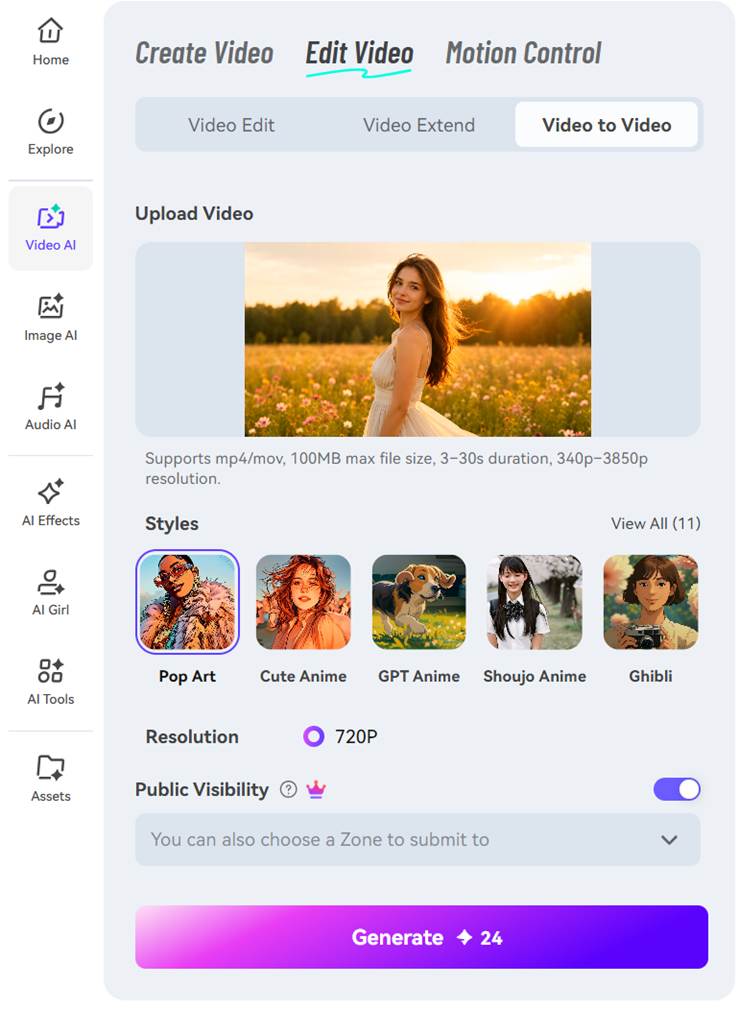
Step 2. Choose a Visual Style That Matches the Listing Goal
Pick a style template or visual mode that fits the listing. For a premium Instagram teaser, a polished cinematic look may work best. For a design-focused property, a more editorial style may fit better. Adjust the style strength if needed, then generate a version that changes the overall look while keeping the original motion and room sequence.
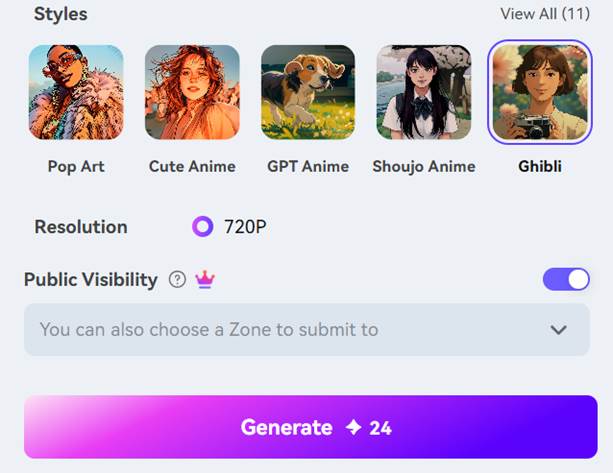
Step 3. Preview, Compare, and Save the Version That Feels Most Usable
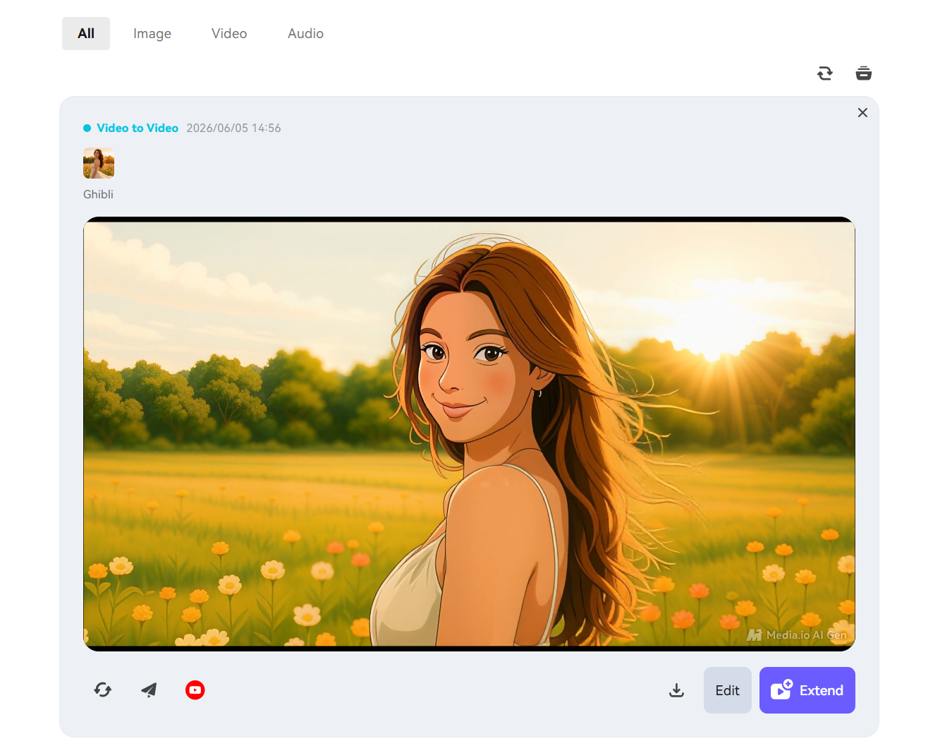
Review the result closely. If the style is too light, try a stronger version. If it starts to make the property feel less believable, scale it back. Generate another variation if needed, then export the version that feels most usable and move it into your posting workflow.
Final Takeaway
Real estate teams do not always need new footage. Sometimes they just need the same footage to feel fresher, more premium, or better suited to a new campaign moment. That is where video-to-video AI is useful: it lets you restyle an existing clip without losing the motion and room flow that already work.
Media.io fits this kind of task because it keeps the process in the browser and makes style testing relatively quick. Results will still depend on the source clip and the style you choose, and some features may require a subscription. Even so, it is an easy workflow to test before committing to another shoot or a heavier edit.
A good place to start is with one listing teaser in two different visual directions. Compare them side by side, see which one supports the property story better, and use that as a repeatable approach for future campaigns.
FAQs
Can I Use Video-To-Video AI for Listing Videos Without Making Them Look Unreal?
Yes, if you keep the styling moderate. For real estate, it works best for teasers, social clips, and brand-focused promos rather than full factual tours. The goal is to improve the mood without making the property feel misleading.
What Kind of Property Footage Works Best for Restyling?
Short clips with stable camera movement, decent lighting, and solid composition usually work best. A clear room sequence also helps because the output can follow the original scene flow more naturally.
Is This Better for New Listings or Older Clips That Need a Refresh?
Both can work, but older clips often show the clearest time-saving benefit. If a property is still on the market and the first teaser has lost momentum, a restyled version is usually faster than planning another shoot.
