
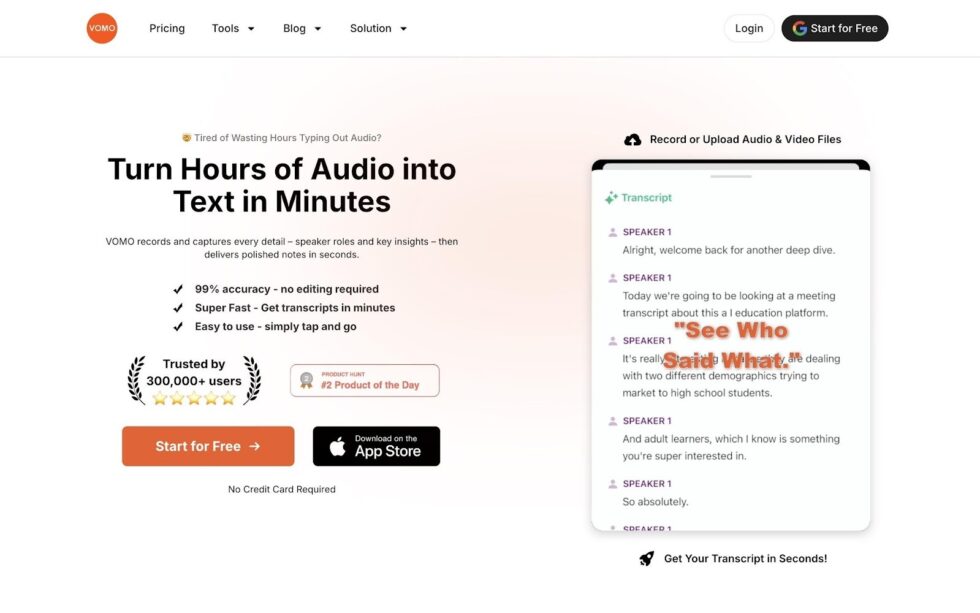
I used to be tripped myself as a “professional scribe” against my will. I strongly demand of myself to take notes as quickly as possible in every meeting, interview, and brainstorming session, and train myself to try to keep up with the pace of the conversation. But I have to accept the cruel fact:
The average speaking speed of human beings is 35 to 40 words per minute, while our speaking speed is over 130 words per minute.
I was losing nearly 70% of my thoughts in the gap between my fingers and my voice.
At some point, I realized the real problem wasn’t ideas—it was the endless typing that followed every meeting and voice note. Everything shifted once I started using Vomo.ai in my workflow. Instead of racing my keyboard to keep up with conversations, I switched to an audio to text workflow that quietly handled the heavy lifting in the background.
The result was surprisingly simple but powerful: I stopped spending hours replaying recordings and typing notes. Seriously, that small shift gave me back more than 10 hours of my time every week—time that could finally go into thinking, creating, and actually using the ideas I had recorded.
The Simple Guide: How to Use Audio to Text Automation in Your Workflow
In simple terms, the transition to an automated workflow is not as difficult as one might imagine. This does not require technical expertise or any specialized technical knowledge.
Next, I’ll introduce to you how to effectively use the audio-to-text technology. VOMO simplifies this process into three frictionless steps.
1. Capture or Upload
Use the Vomo.ai for real-time recording on the go, or drag and drop files such as MP3, WAV, MP4, or M4A into the web platform.
You can even paste a YouTube link directly to generate an instant transcript without downloading the video.
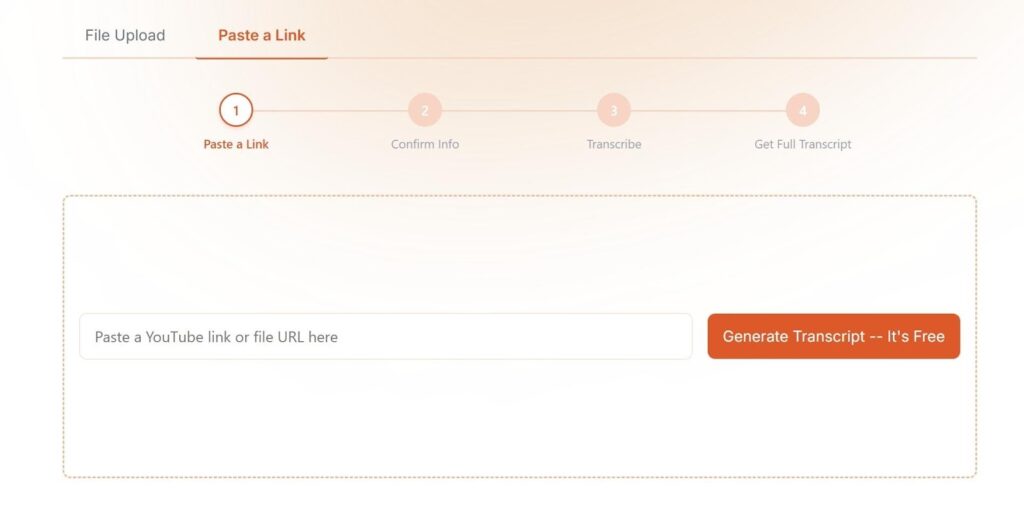
2. Auto-Detect and Transcribe
There is no need for manual configuration. The AI engine automatically identifies the language—supporting 50+ languages—and begins converting speech into text with up to 99% accuracy.
3. Extract and Export
Once the transcript is ready, you can copy the text instantly or export it in multiple formats including TXT, DOCX, PDF, or SRT for subtitles and documentation.
The Automation Features That Actually Reclaimed My Time
The “10-hour saving” is not a random estimate. It comes from specific AI-powered automation features that replace manual work.
- The 15-Minute Rule Manually transcribing a one-hour recording used to take me nearly four hours. With modern audio to text AI, a one-hour file can be processed in about 15 minutes.
- Smart Extraction of Highlights VOMO doesn’t just generate a block of text. It automatically identifies decisions, action items, and deadlines, turning your transcript into an actionable meeting summary.
- Automatic Scene Templates Whether the recording is a project plan, brainstorming session, or meeting recap, VOMO applies a structured template to organize the notes instantly.
- Speaker Diarization In multi-person conversations, the AI identifies who said what, eliminating the need to rewind recordings just to confirm a quote.
Ask AI: Chatting with Your Transcripts for Instant Insights
The most powerful productivity boost comes from the Ask AI feature. Instead of reading thousands of words in a transcript, you can interact with it like a conversation.
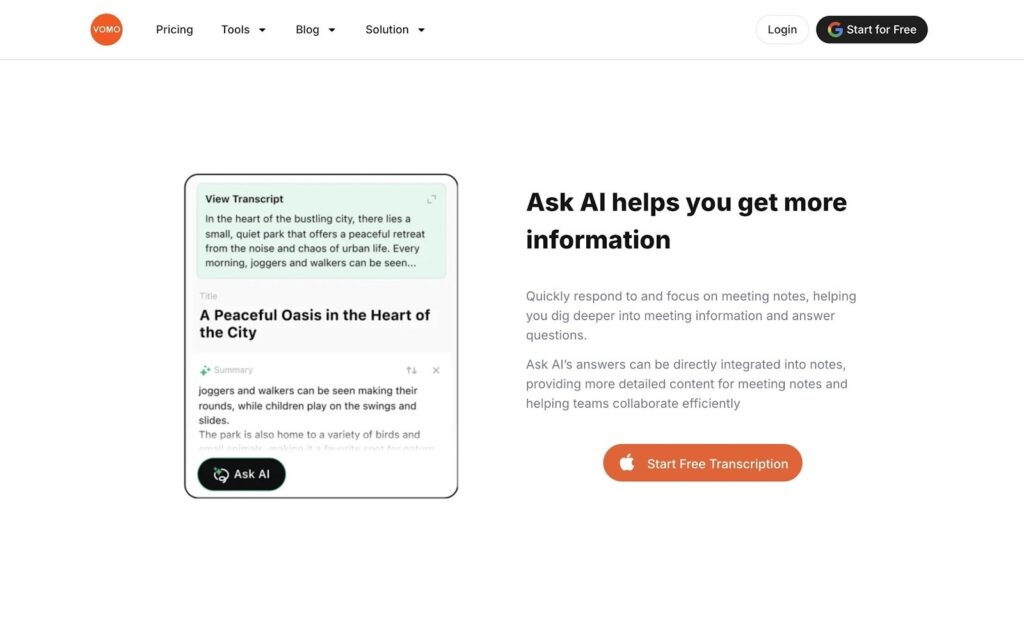
For example, you can ask the system:
- “Summarize the three main objections from the client.”
- “List the key decisions made during this meeting.”
- “Draft a follow-up email based on the discussion.”
This turns a static audio to text transcript into a dynamic research assistant, transforming hours of analysis into seconds of insight.
Real-World Results: Who Else Is Saving Time?
The time-saving impact is not limited to one workflow. Professionals across multiple industries are using audio to text automation to reclaim hours every week.
- Business Consultants Upload client meetings and receive structured summaries ready to send to stakeholders within minutes.
- Educators Convert lectures and classroom discussions into organized study notes without manual transcription.
- Sales Executives Capture key client insights during calls and send full conversation summaries immediately after the meeting.
Cross-Platform Productivity: Mobile to Web Sync
However, we also need to pay attention to the fact that some people’s demands are that they often collaborate across platforms, occasionally need mobile phones, and frequently use tablets. Do they need such tools or workflows to save their time and enjoy common data across multiple platforms? In this regard, Vomo has provided me with a relatively good solution.
On my way to and from work, I use the VOMO app to record my thoughts or interviews on my phone. When I was sitting at my desk, the VOMO Web version had synchronized the recording, and a perfectly formatted text record was waiting for me on my computer.
- Record Anywhere: Use the iOS or Android app to capture high-quality audio on the go.
- Seamless Sync: Your files and transcripts are always available wherever you log in, from MacBook to mobile.
- Edit on Desktop: Use the user-friendly online editor for final refinements and easy copy-pasting into your documents.
Security You Can Trust: Enterprise-Grade Privacy
Imagine you are recording a highly confidential board meeting, a legal deposition, or a sensitive patient consultation. In these moments, “good enough” security simply doesn’t cut it—privacy is a strict legal requirement.
That is why VOMO’s audio to text engine is built on enterprise-grade HTTPS encryption. We don’t just protect your data from hackers; we protect it from ourselves. Your audio files are never shared with third parties or used to train AI models without your explicit permission.
With built-in compliance for strict global standards like GDPR and HIPAA, plus a feature that automatically deletes files after 7 days, you can transcribe your most sensitive workflows with absolute peace of mind.
- Encrypted Protection: All uploads and downloads are encrypted via HTTPS to keep your data safe.
- Privacy First: No third-party sharing ever, and your files are not used for AI training without permission.
- Regulatory Compliance: VOMO follows strict global data protection standards, including GDPR compliance.
- Healthcare & Legal Ready: Secure enough for sensitive medical consultations and legal depositions.
Conclusion: Ready to Reclaim Your 10 Hours?
Balancing active participation in conversations while capturing detailed notes has always been difficult. Audio to text automation removes that trade-off completely.
Instead of splitting your attention between listening and typing, you can stay fully present in meetings, interviews, and brainstorming sessions—while AI handles the documentation.
Stop choosing between “being present” and “taking notes.” By fully integrating audio to text automation into your daily routine, you can finally eliminate the administrative drag that slows down your best ideas.
You don’t need a complex setup to start saving 10 hours a week. Vomo.ai takes your raw audio and turns it into polished, actionable notes in minutes, with absolutely no manual editing required.
Don’t let another week of manual note-taking drain your energy. Upload your longest audio file to Vomo.ai today, and experience what it feels like to truly get your time back.
