
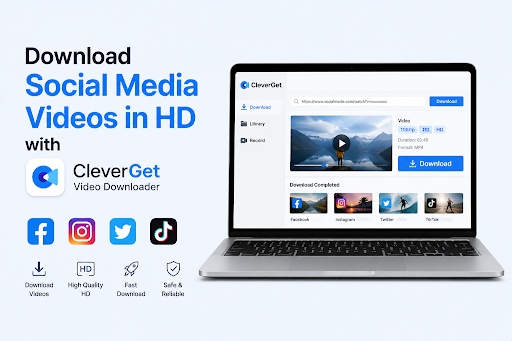
The demand for downloading videos from social media and video-sharing platforms has grown rapidly in recent years. Millions of users consume content daily on platforms like Facebook, Instagram, TikTok, X, and YouTube. Whether it’s educational tutorials, entertaining clips, travel vlogs, or personal memories, many users prefer saving videos for offline viewing, personal archiving, or building organized media collections.
However, downloading online videos is not always simple. Most platforms place restrictions on direct downloads, and built-in offline viewing options are often limited or unavailable. Users also frequently encounter inconsistent download quality, unreliable third-party tools, slow performance, and unsupported formats. These frustrations have increased the need for dependable video downloading software that can handle multiple platforms efficiently.
One tool gaining attention in this space is CleverGet Video Downloader. In this cleverget video downloader review, we’ll explore its features, performance, usability, and whether it’s worth using for downloading HD videos from social media platforms.
I. What Is CleverGet Video Downloader?
CleverGet Video Downloader is a desktop-based application designed to help users download videos from a wide variety of online platforms. The software offers a straightforward solution for saving online content directly to a computer for offline access.
Supported Platforms Include
- TikTok
- X
- YouTube
The software is available for both Windows and macOS, making it accessible to a broad range of users regardless of operating system preferences.
Common Use Cases
Many users rely on CleverGet for practical everyday tasks, including:
- Watching videos offline without internet access
- Backing up important online media content
- Creating and organizing a personal video library
This flexibility makes the software appealing to casual viewers, students, content collectors, and frequent travelers alike.
II. Main Features of CleverGet Video Downloader
1. Broad Platform Compatibility
One of the standout features highlighted in this review of cleverget video downloader is its extensive platform support. The software works with numerous social media and video-sharing websites, allowing users to download content from multiple sources within a single application.
It supports various types of media content, including:
- Standard videos
- Short-form clips like Reels and Shorts
- Online playlists and media collections
This broad compatibility eliminates the need to install multiple download tools for different platforms.
2. High-Quality Video Downloads
Video quality is one of the most important factors when downloading online media. CleverGet supports downloading videos in HD and even Full HD quality when the original source platform provides those resolutions.
The software also preserves synchronized audio quality, ensuring that downloaded videos maintain clear visuals and smooth playback. This feature is especially useful for users who want to enjoy content on larger screens without sacrificing quality.
3. Built-In Browser with Smart Video Detection
Another major advantage discussed in many cleverget review articles is the integrated browser feature. Instead of manually copying and pasting video URLs, users can browse websites directly within the application.
When a supported video is detected, the software automatically identifies downloadable media options. This smart detection system simplifies the entire process and saves time for users who download content regularly.
4. Multiple Output Format Options
CleverGet allows videos to be saved in common formats such as MP4 and MKV. These widely supported formats ensure compatibility across numerous devices, including:
- Smartphones
- Tablets
- Laptops
- Desktop computers
Users can easily transfer and play downloaded videos without worrying about format conversion issues.
5. Batch Download Functionality
Batch downloading is another useful feature included in the software. Users can download multiple videos simultaneously, which is particularly helpful for playlists, content archives, or large collections.
Instead of downloading videos one at a time, batch functionality improves efficiency and reduces waiting time.
III. Step-by-Step Guide to Using CleverGet
Using CleverGet Video Downloader is relatively simple, even for beginners. Below is a basic walkthrough of the download process:
Step 1: Download and Install the Software
Download and install CleverGet Video Downloader on your Windows or macOS computer.
Step 2: Launch the Application
Open the software after installation.
Step 3: Browse a Supported Website
Use the built-in browser to visit a supported platform such as YouTube, TikTok, Instagram, or Facebook.
Step 4: Play the Target Video
Play the video you want to save. The software will automatically detect downloadable media sources.
Step 5: Choose Resolution and Format
Select your preferred resolution and output format, such as MP4 or MKV.
Step 6: Start the Download
Click the download button and save the file locally to your computer.
The process is designed to be beginner-friendly and does not require advanced technical knowledge.
IV. Performance and User Experience
In terms of usability, CleverGet offers a clean and intuitive interface that most users can navigate easily. Menus are straightforward, and the integrated browser helps simplify video detection and downloading.
Stability and Download Speeds
The software generally delivers stable performance with consistent download speeds depending on internet connection quality and source platform limitations.
Reliability During Large Downloads
Batch downloading performs reliably in most cases, allowing users to handle playlists or multiple videos simultaneously without major interruptions.
Interface and Navigation
The layout is beginner-friendly, making it easy for users to browse platforms, detect videos, and manage downloads without confusion.
System Resource Usage
CleverGet runs reasonably well on modern systems, though downloading multiple high-resolution videos simultaneously may increase CPU and memory usage.
Overall, the software provides a smooth experience for users seeking a convenient video downloading solution.
V. Pros and Cons
Like any software, CleverGet comes with both strengths and limitations.
Pros
- Wide platform compatibility
- Easy-to-use interface
- Batch downloading support
- High-quality video output
- Built-in browser for simplified downloading
Cons
- Some advanced features may require payment
- DRM-protected videos are not supported
- Performance may vary depending on platform changes
These factors are important to consider before deciding whether the software fits your specific needs.
VI. Frequently Asked Questions About CleverGet Video Downloader
1. Which websites does CleverGet Video Downloader support?
The software supports many popular platforms including YouTube, TikTok, Instagram, Facebook, X, and more.
2. Can CleverGet download videos in HD or 4K quality?
Yes. Available download quality depends on the original video resolution provided by the source platform.
3. Does CleverGet support batch downloads?
Yes. Users can download multiple videos or playlists simultaneously using the batch download feature.
4. Is CleverGet available for both Windows and macOS?
Yes. CleverGet supports both Windows and macOS operating systems.
5. Is CleverGet safe?
Many users searching “is cleverget safe” want reassurance regarding software security. Generally, downloading software from the official website helps minimize risks. Users should always install updates from trusted sources and avoid unofficial download sites.
6. Can CleverGet download DRM-protected videos?
No. DRM-restricted content is not supported by the downloader.
Final Verdict: Is CleverGet Worth Using?
This cleverget video downloader review shows that the software offers a practical and user-friendly solution for downloading videos from social media and video-sharing platforms. Its strengths include broad platform compatibility, HD download support, batch downloading, and an intuitive built-in browser.
The software is particularly useful for users who want to watch videos offline, organize personal media collections, or back up online content efficiently.
However, one important limitation is that DRM-protected videos are not supported. For users who need to capture DRM-restricted playback content, CleverGet Recorder may serve as an alternative solution.
Overall, CleverGet remains a solid option for users seeking a convenient desktop video downloader with broad compatibility and reliable HD performance.
